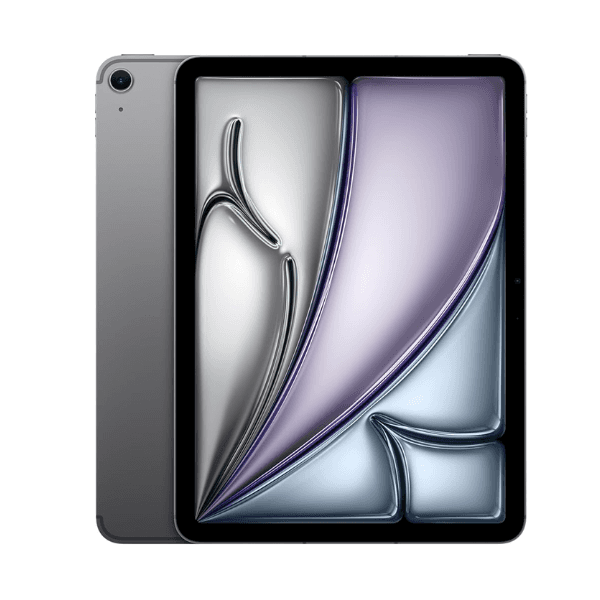
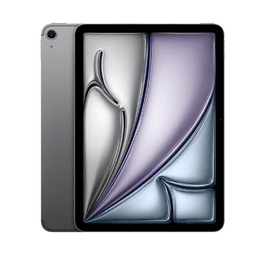
Apple iPad Air 2024 6th Generation M2 11-Inch 256GB Space Grey Wi-Fi - International Version

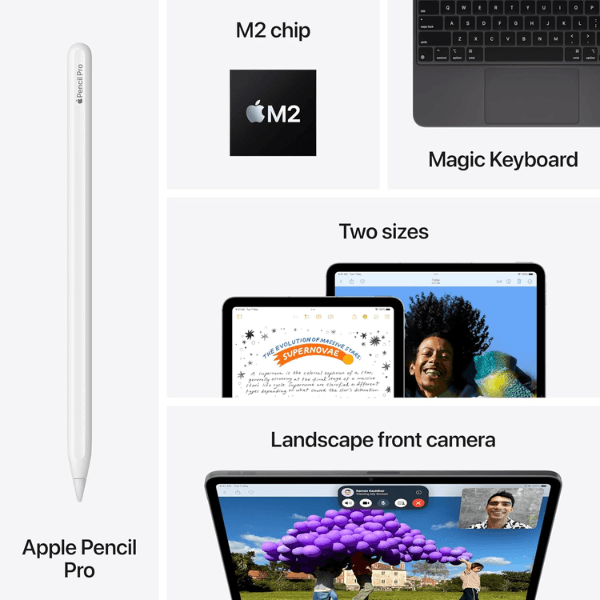
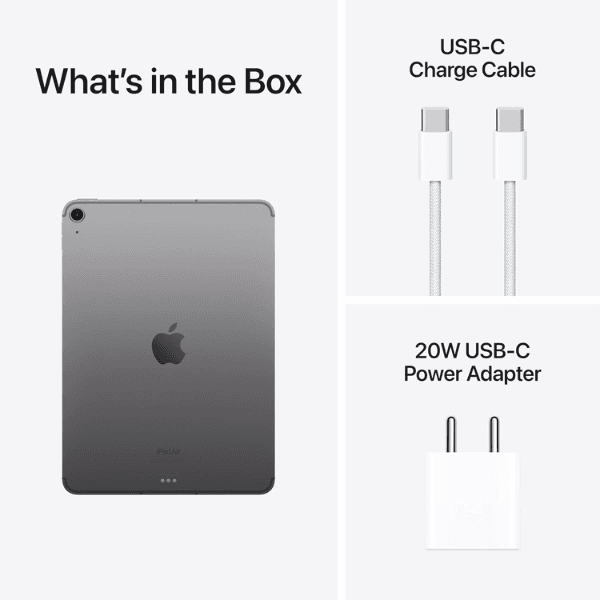
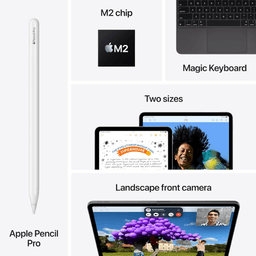
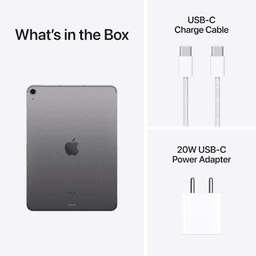
<p class="" data-start="144" data-end="848"><strong data-start="144" data-end="158">Highlights<br /></strong><br data-start="158" data-end="161" /> The <strong data-start="165" data-end="205">Apple iPad Air 2024 (6th Generation)</strong> is equipped with the <strong data-start="227" data-end="244">Apple M2 chip</strong>, offering outstanding performance for multitasking, creative work, and gaming. It features an <strong data-start="339" data-end="372" data-is-only-node="">11-inch Liquid Retina display</strong>, providing vibrant colors and sharp visuals with True Tone and P3 wide color. With <strong data-start="456" data-end="485">256GB of internal storage</strong> and <strong data-start="490" data-end="512">Wi-Fi connectivity</strong>, this iPad offers ample space for apps, media, and files. The <strong data-start="575" data-end="595">12MP back camera</strong> and <strong data-start="600" data-end="632">12MP Ultra Wide front camera</strong> with <strong data-start="638" data-end="654">Center Stage</strong> deliver excellent photo quality and smooth video calls. Running <strong data-start="719" data-end="732">iPadOS 17</strong>, it supports advanced features and is compatible with <strong data-start="787" data-end="820">Apple Pencil (2nd generation)</strong> and the <strong data-start="829" data-end="847">Magic Keyboard</strong>.</p> <p class="" data-start="850" data-end="1362"><strong data-start="850" data-end="862">Overview<br /></strong><br data-start="862" data-end="865" /> In a sleek <strong data-start="876" data-end="890">Space Grey</strong> finish, the <strong data-start="903" data-end="937">iPad Air 2024 (6th Generation)</strong> combines modern design with powerful functionality. The <strong data-start="994" data-end="1027" data-is-only-node="">11-inch Liquid Retina display</strong> offers an immersive viewing experience, while the <strong data-start="1078" data-end="1089">M2 chip</strong> ensures smooth performance even for demanding tasks. With <strong data-start="1148" data-end="1170">Wi-Fi connectivity</strong>, it ensures fast and reliable internet access. This iPad supports the <strong data-start="1241" data-end="1274">Apple Pencil (2nd generation)</strong> and <strong data-start="1279" data-end="1297">Magic Keyboard</strong>, providing versatility for both creative and productivity tasks.</p> <p class="" data-start="1364" data-end="1380"><strong data-start="1364" data-end="1378">How to Use</strong></p> <ul data-start="1381" data-end="1871" data-is-last-node="" data-is-only-node=""> <li class="" data-start="1381" data-end="1449"> <p class="" data-start="1383" data-end="1449"><strong data-start="1383" data-end="1395">Power On</strong>: Press and hold the top button to turn on the iPad.</p> </li> <li class="" data-start="1450" data-end="1527"> <p class="" data-start="1452" data-end="1527"><strong data-start="1452" data-end="1472">Connect to Wi-Fi</strong>: Go to <strong data-start="1480" data-end="1500">Settings &gt; Wi-Fi</strong> and select your network.</p> </li> <li class="" data-start="1528" data-end="1594"> <p class="" data-start="1530" data-end="1594"><strong data-start="1530" data-end="1541">Sign In</strong>: Use your Apple ID to sign in or create a new one.</p> </li> <li class="" data-start="1595" data-end="1662"> <p class="" data-start="1597" data-end="1662"><strong data-start="1597" data-end="1614">Download Apps</strong>: Browse and download apps from the App Store.</p> </li> <li class="" data-start="1663" data-end="1786"> <p class="" data-start="1665" data-end="1786"><strong data-start="1665" data-end="1685">Use Apple Pencil</strong>: Pair your <strong data-start="1697" data-end="1730">Apple Pencil (2nd generation)</strong> by attaching it magnetically to the side of the iPad.</p> </li> <li class="" data-start="1787" data-end="1871"> <p class="" data-start="1789" data-end="1871"><strong data-start="1789" data-end="1799">Charge</strong>: Use the included <strong data-start="1818" data-end="1833">USB-C cable</strong> and power adapter to charge the iPad.</p> </li> </ul>